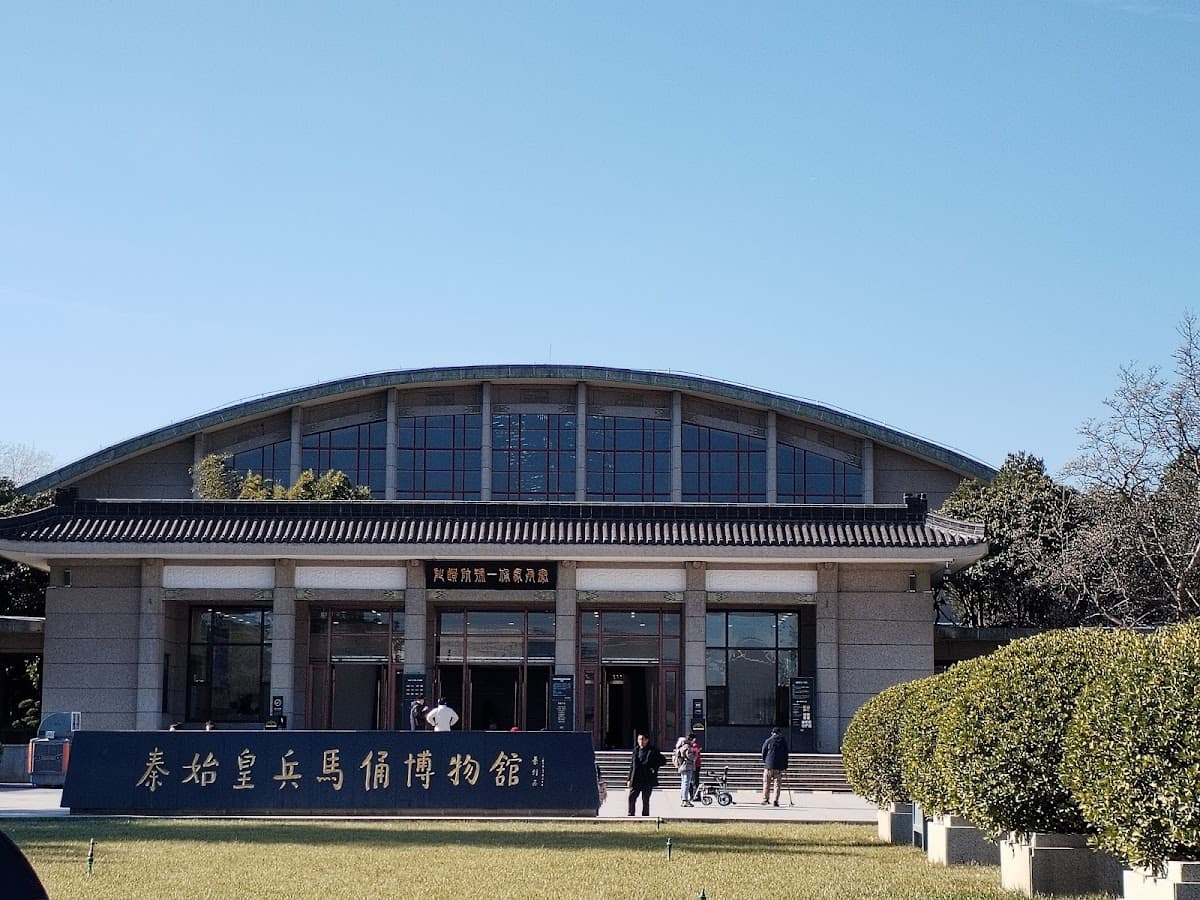
eSIM China Pure Unlimited | Travel SIM China Global Komunika
About this experience
Embark on your adventure in China with the eSIM China Pure Unlimited, designed to keep you seamlessly connected. Forget the hassle of swapping out physical SIM cards; with this innovative eSIM, you can activate your data plan effortlessly via a QR code sent directly to your email. Whether you're exploring the bustling streets of Beijing or the serene landscapes of Guilin, you'll have reliable internet access at your fingertips.
Choose from a variety of plans tailored to your travel needs, ranging from unlimited data options to daily limits. This flexibility ensures you can stay connected for as long as you need, whether it’s for a quick trip or an extended stay. Simply scan the QR code upon arrival or even before your journey begins, and dive into the wonders of China without missing a beat.
What to expect
When you choose the eSIM China Pure Unlimited, you can expect a hassle-free experience that enhances your travel. Upon purchasing, you'll receive a QR code that allows you to activate your data plan in seconds. This means you can start sharing your adventures on social media or navigating the local sights without delay.
As you explore the rich culture and stunning landscapes of China, having reliable internet access will make your journey even more enjoyable. Stay connected with friends and family back home, access maps, and discover local attractions with ease. The eSIM ensures that you won’t miss a moment of your travels.
Highlights
- No need to replace your physical SIM card
- Easy activation via QR code sent to your email
- Multiple plan options to suit your travel duration
- Unlimited data options available
- Compatible with devices that support eSIM technology
- Scan the QR code before or after arriving in China
- Quick setup for uninterrupted connectivity
Things to note
- Ensure your device supports eSIM by checking for EID using *#06#
- Provide your date of use, phone number, and email to avoid delays
- Passport information is required for internet access registration
- eSIM can be scanned up to three times with the same device
- Some apps like TikTok and ChatGPT may not be accessible
- Refer to the provided APN settings for optimal connectivity
Location
Get directionsWhat visitors think
Frequently asked questions
The eSIM China Pure Unlimited ticket provides you with hassle-free internet access throughout your journey in China, with options for unlimited data or limited daily data based on the selected plan.
Choose Your Package
Select the option that's right for you
30 Days (Unlimited) GK-CHMPLUS-30-UNL
Open dated ticket
No date required — visit anytime
Quantity
$43.60 each
About this ticket
Active Period: 30 days FUP : Unlimited. If usage exceeds the FUP, it can still be used at a speed of 128 kbps. Speed returned to normal the next day. Make sure the device used supports eSIM. Please press *#06#. If EID appears, it means the device used supports eSIM. Write the date of use, phone number, and email in the notes. (If there is no data, eSIM delivery will be delayed). eSIM can only scan up to 3 times with the same device. eSIM will be active after being scanned. APN Setting & APN Personal Hotspot Settings APN: cmhk Username & Password: empty
Active Period: 30 days FUP : Unlimited.
Open dated ticket
No date required — visit anytime
Quantity
$43.60 each
20 Days (Unlimited) GK-CHMPLUS-20-UNL
Active Period: 20 days FUP : Unlimited.
Cancellation up to 1h before
From
$29.25
per person
About this ticket
Active Period: 20 days FUP : Unlimited. If usage exceeds the FUP, it can still be used at a speed of 128 kbps. Speed returned to normal the next day. Make sure the device used supports eSIM. Please press *#06#. If EID appears, it means the device used supports eSIM. Write the date of use, phone number, and email in the notes. (If there is no data, eSIM delivery will be delayed). eSIM can only scan up to 3 times with the same device. eSIM will be active after being scanned. APN Setting & APN Personal Hotspot Settings APN: cmhk Username & Password: empty
Active Period: 20 days FUP : Unlimited.
15 Days (Unlimited) GK-CHMPLUS-15-UNL
Active Period: 15 days FUP : Unlimited.
Cancellation up to 1h before
From
$21.85
per person
About this ticket
Active Period: 15 days FUP : Unlimited. If usage exceeds the FUP, it can still be used at a speed of 128 kbps. Speed returned to normal the next day. Make sure the device used supports eSIM. Please press *#06#. If EID appears, it means the device used supports eSIM. Write the date of use, phone number, and email in the notes. (If there is no data, eSIM delivery will be delayed). eSIM can only scan up to 3 times with the same device. eSIM will be active after being scanned. APN Setting & APN Personal Hotspot Settings APN: cmhk Username & Password: empty
Active Period: 15 days FUP : Unlimited.
10 Days (Unlimited) GK-CHMPLUS-10-UNL
Active Period: 10 days FUP : Unlimited.
Cancellation up to 1h before
From
$14.90
per person
About this ticket
Active Period: 10 days FUP : Unlimited. If usage exceeds the FUP, it can still be used at a speed of 128 kbps. Speed returned to normal the next day. Make sure the device used supports eSIM. Please press *#06#. If EID appears, it means the device used supports eSIM. Write the date of use, phone number, and email in the notes. (If there is no data, eSIM delivery will be delayed). eSIM can only scan up to 3 times with the same device. eSIM will be active after being scanned. APN Setting & APN Personal Hotspot Settings APN: cmhk Username & Password: empty
Active Period: 10 days FUP : Unlimited.
7 Days (Unlimited) GK-CHMPLUS-7-UNL
Active Period: 7 days FUP : Unlimited.
Cancellation up to 1h before
From
$10.60
per person
About this ticket
Active Period: 7 days FUP : Unlimited. If usage exceeds the FUP, it can still be used at a speed of 128 kbps. Speed returned to normal the next day. Make sure the device used supports eSIM. Please press *#06#. If EID appears, it means the device used supports eSIM. Write the date of use, phone number, and email in the notes. (If there is no data, eSIM delivery will be delayed). eSIM can only scan up to 3 times with the same device. eSIM will be active after being scanned. APN Setting & APN Personal Hotspot Settings APN: cmhk Username & Password: empty
Active Period: 7 days FUP : Unlimited.
5 Days (Unlimited) GK-CHMPLUS-5-UNL
Active Period: 5 days FUP : Unlimited.
Cancellation up to 1h before
From
$7.50
per person
About this ticket
Active Period: 5 days FUP : Unlimited. If usage exceeds the FUP, it can still be used at a speed of 128 kbps. Speed returned to normal the next day. Make sure the device used supports eSIM. Please press *#06#. If EID appears, it means the device used supports eSIM. Write the date of use, phone number, and email in the notes. (If there is no data, eSIM delivery will be delayed). eSIM can only scan up to 3 times with the same device. eSIM will be active after being scanned. APN Setting & APN Personal Hotspot Settings APN: cmhk Username & Password: empty
Active Period: 5 days FUP : Unlimited.
20 Days (3GB/Day) GK-CHMPLUS-20-3
Active Period: 20 days FUP : 3GB/Day.
Cancellation up to 1h before
From
$21.50
per person
About this ticket
Active Period: 20 days FUP : 3GB/Day. If usage exceeds the FUP, it can still be used at a speed of 128 kbps. Speed returned to normal the next day. Make sure the device used supports eSIM. Please press *#06#. If EID appears, it means the device used supports eSIM. Write the date of use, phone number, and email in the notes. (If there is no data, eSIM delivery will be delayed). eSIM can only scan up to 3 times with the same device. eSIM will be active after being scanned. APN Setting & APN Personal Hotspot Settings APN: cmhk Username & Password: empty
Active Period: 20 days FUP : 3GB/Day.
20 Days (2GB/Day) GK-CHMPLUS-20-2
Active Period: 20 days FUP : 2GB/Day.
Cancellation up to 1h before
From
$15.65
per person
About this ticket
Active Period: 20 days FUP : 2GB/Day. If usage exceeds the FUP, it can still be used at a speed of 128 kbps. Speed returned to normal the next day. Make sure the device used supports eSIM. Please press *#06#. If EID appears, it means the device used supports eSIM. Write the date of use, phone number, and email in the notes. (If there is no data, eSIM delivery will be delayed). eSIM can only scan up to 3 times with the same device. eSIM will be active after being scanned. APN Setting & APN Personal Hotspot Settings APN: cmhk Username & Password: empty
Active Period: 20 days FUP : 2GB/Day.
20 Days (1GB/Day) GK-CHMPLUS-20-1
Active Period: 20 days FUP : 1GB/Day.
Cancellation up to 1h before
From
$9.85
per person
About this ticket
Active Period: 20 days FUP : 1GB/Day. If usage exceeds the FUP, it can still be used at a speed of 128 kbps. Speed returned to normal the next day. Make sure the device used supports eSIM. Please press *#06#. If EID appears, it means the device used supports eSIM. Write the date of use, phone number, and email in the notes. (If there is no data, eSIM delivery will be delayed). eSIM can only scan up to 3 times with the same device. eSIM will be active after being scanned. APN Setting & APN Personal Hotspot Settings APN: cmhk Username & Password: empty
Active Period: 20 days FUP : 1GB/Day.
3 Days (Unlimited) GK-CHMPLUS-3-UNL
Active Period: 3 days FUP : Unlimited.
Cancellation up to 1h before
From
$4.80
per person
About this ticket
Active Period: 3 days FUP : Unlimited. If usage exceeds the FUP, it can still be used at a speed of 128 kbps. Speed returned to normal the next day. Make sure the device used supports eSIM. Please press *#06#. If EID appears, it means the device used supports eSIM. Write the date of use, phone number, and email in the notes. (If there is no data, eSIM delivery will be delayed). eSIM can only scan up to 3 times with the same device. eSIM will be active after being scanned. APN Setting & APN Personal Hotspot Settings APN: cmhk Username & Password: empty
Active Period: 3 days FUP : Unlimited.
3 Days (3GB/Day) GK-CHMPLUS-3-3
Coverage : China Active Period: 3 days Quota: 3GB/Day Make sure the device used supports eSIM.
Cancellation up to 1h before
From
$3.80
per person
About this ticket
Coverage : China Active Period: 3 days Quota: 3GB/Day Make sure the device used supports eSIM. Please press *#06#. If EID appears, it means the device used supports eSIM. eSIM Installation & Activation Guide Important: You need to be connected to the internet to scan and activate the eSIM. 1. Install: Iphone: Go to Settings > Cellular > Add Cellular Plan, scan the QR. Code, and rename the eSIM to "Global Komunika". Android: Go to Settings > Connections > SIM Card Manager > Add Mobile Plan, scan the QR Code, and rename the eSIM to "Global Komunika". 2. Activate: Turn on the "Global Komunika" eSIM, set it as mobile data, enable Data Roaming, and adjust the APN Settings if needed. APN Setting & APN Personal Hotspot Settings APN: cmlink Username & Password: (keep this blank) Notes : The same device's eSIM can be scanned and downloaded 10 times. eSIM will be active after being scanned. Customer support : If there is a problem with the product, you must contact our CS first via Whatsapp (+628986454071) to get a solution.
How to redeem
Pre-book before visiting: Customer need to reconfirm their order via Whatsapp +628986454071
Coverage : China Active Period: 3 days Quota: 3GB/Day Make sure the device used supports eSIM.
30 Days (3GB/Day) GK-CHMPLUS-30-3
Coverage : China Active Period: 30 days Quota: 3GB/Day Make sure the device used supports eSIM.
Cancellation up to 1h before
From
$30.30
per person
About this ticket
Coverage : China Active Period: 30 days Quota: 3GB/Day Make sure the device used supports eSIM. Please press *#06#. If EID appears, it means the device used supports eSIM. eSIM Installation & Activation Guide Important: You need to be connected to the internet to scan and activate the eSIM. 1. Install: Iphone: Go to Settings > Cellular > Add Cellular Plan, scan the QR. Code, and rename the eSIM to "Global Komunika". Android: Go to Settings > Connections > SIM Card Manager > Add Mobile Plan, scan the QR Code, and rename the eSIM to "Global Komunika". 2. Activate: Turn on the "Global Komunika" eSIM, set it as mobile data, enable Data Roaming, and adjust the APN Settings if needed. APN Setting & APN Personal Hotspot Settings APN: cmlink Username & Password: (keep this blank) Notes : The same device's eSIM can be scanned and downloaded 10 times. eSIM will be active after being scanned. Customer support : If there is a problem with the product, you must contact our CS first via Whatsapp (+628986454071) to get a solution.
How to redeem
Pre-book before visiting: Customer need to reconfirm their order via Whatsapp +628986454071
Coverage : China Active Period: 30 days Quota: 3GB/Day Make sure the device used supports eSIM.
15 Days (3GB/Day) GK-CHMPLUS-15-3
Coverage : China Active Period: 15 days Quota: 3GB/Day Make sure the device used supports eSIM.
Cancellation up to 1h before
From
$15.55
per person
About this ticket
Coverage : China Active Period: 15 days Quota: 3GB/Day Make sure the device used supports eSIM. Please press *#06#. If EID appears, it means the device used supports eSIM. eSIM Installation & Activation Guide Important: You need to be connected to the internet to scan and activate the eSIM. 1. Install: Iphone: Go to Settings > Cellular > Add Cellular Plan, scan the QR. Code, and rename the eSIM to "Global Komunika". Android: Go to Settings > Connections > SIM Card Manager > Add Mobile Plan, scan the QR Code, and rename the eSIM to "Global Komunika". 2. Activate: Turn on the "Global Komunika" eSIM, set it as mobile data, enable Data Roaming, and adjust the APN Settings if needed. APN Setting & APN Personal Hotspot Settings APN: cmlink Username & Password: (keep this blank) Notes : The same device's eSIM can be scanned and downloaded 10 times. eSIM will be active after being scanned. Customer support : If there is a problem with the product, you must contact our CS first via Whatsapp (+628986454071) to get a solution.
How to redeem
Pre-book before visiting: Customer need to reconfirm their order via Whatsapp +628986454071
Coverage : China Active Period: 15 days Quota: 3GB/Day Make sure the device used supports eSIM.
10 Days (3GB/Day) GK-CHMPLUS-10-3
Coverage : China Active Period: 10 days Quota: 3GB/Day Make sure the device used supports eSIM.
Cancellation up to 1h before
From
$10.40
per person
About this ticket
Coverage : China Active Period: 10 days Quota: 3GB/Day Make sure the device used supports eSIM. Please press *#06#. If EID appears, it means the device used supports eSIM. eSIM Installation & Activation Guide Important: You need to be connected to the internet to scan and activate the eSIM. 1. Install: Iphone: Go to Settings > Cellular > Add Cellular Plan, scan the QR. Code, and rename the eSIM to "Global Komunika". Android: Go to Settings > Connections > SIM Card Manager > Add Mobile Plan, scan the QR Code, and rename the eSIM to "Global Komunika". 2. Activate: Turn on the "Global Komunika" eSIM, set it as mobile data, enable Data Roaming, and adjust the APN Settings if needed. APN Setting & APN Personal Hotspot Settings APN: cmlink Username & Password: (keep this blank) Notes : The same device's eSIM can be scanned and downloaded 10 times. eSIM will be active after being scanned. Customer support : If there is a problem with the product, you must contact our CS first via Whatsapp (+628986454071) to get a solution.
How to redeem
Pre-book before visiting: Customer need to reconfirm their order via Whatsapp +628986454071
Coverage : China Active Period: 10 days Quota: 3GB/Day Make sure the device used supports eSIM.
7 Days (3GB/Day) GK-CHMPLUS-7-3
Coverage : China Active Period: 7 days Quota: 3GB/Day Make sure the device used supports eSIM.
Cancellation up to 1h before
From
$7.45
per person
About this ticket
Coverage : China Active Period: 7 days Quota: 3GB/Day Make sure the device used supports eSIM. Please press *#06#. If EID appears, it means the device used supports eSIM. eSIM Installation & Activation Guide Important: You need to be connected to the internet to scan and activate the eSIM. 1. Install: Iphone: Go to Settings > Cellular > Add Cellular Plan, scan the QR. Code, and rename the eSIM to "Global Komunika". Android: Go to Settings > Connections > SIM Card Manager > Add Mobile Plan, scan the QR Code, and rename the eSIM to "Global Komunika". 2. Activate: Turn on the "Global Komunika" eSIM, set it as mobile data, enable Data Roaming, and adjust the APN Settings if needed. APN Setting & APN Personal Hotspot Settings APN: cmlink Username & Password: (keep this blank) Notes : The same device's eSIM can be scanned and downloaded 10 times. eSIM will be active after being scanned. Customer support : If there is a problem with the product, you must contact our CS first via Whatsapp (+628986454071) to get a solution.
How to redeem
Pre-book before visiting: Customer need to reconfirm their order via Whatsapp +628986454071
Coverage : China Active Period: 7 days Quota: 3GB/Day Make sure the device used supports eSIM.
5 Days (3GB/Day) GK-CHMPLUS-5-3
Coverage : China Active Period: 5 days Quota: 3GB/Day Make sure the device used supports eSIM.
Cancellation up to 1h before
From
$5.65
per person
About this ticket
Coverage : China Active Period: 5 days Quota: 3GB/Day Make sure the device used supports eSIM. Please press *#06#. If EID appears, it means the device used supports eSIM. eSIM Installation & Activation Guide Important: You need to be connected to the internet to scan and activate the eSIM. 1. Install: Iphone: Go to Settings > Cellular > Add Cellular Plan, scan the QR. Code, and rename the eSIM to "Global Komunika". Android: Go to Settings > Connections > SIM Card Manager > Add Mobile Plan, scan the QR Code, and rename the eSIM to "Global Komunika". 2. Activate: Turn on the "Global Komunika" eSIM, set it as mobile data, enable Data Roaming, and adjust the APN Settings if needed. APN Setting & APN Personal Hotspot Settings APN: cmlink Username & Password: (keep this blank) Notes : The same device's eSIM can be scanned and downloaded 10 times. eSIM will be active after being scanned. Customer support : If there is a problem with the product, you must contact our CS first via Whatsapp (+628986454071) to get a solution.
How to redeem
Pre-book before visiting: Customer need to reconfirm their order via Whatsapp +628986454071
Coverage : China Active Period: 5 days Quota: 3GB/Day Make sure the device used supports eSIM.
30 Days (2GB/Day) GK-CHMPLUS-30-2
Coverage : China Active Period: 30 days Quota: 2GB/Day Make sure the device used supports eSIM.
Cancellation up to 1h before
From
$21.45
per person
About this ticket
Coverage : China Active Period: 30 days Quota: 2GB/Day Make sure the device used supports eSIM. Please press *#06#. If EID appears, it means the device used supports eSIM. eSIM Installation & Activation Guide Important: You need to be connected to the internet to scan and activate the eSIM. 1. Install: Iphone: Go to Settings > Cellular > Add Cellular Plan, scan the QR. Code, and rename the eSIM to "Global Komunika". Android: Go to Settings > Connections > SIM Card Manager > Add Mobile Plan, scan the QR Code, and rename the eSIM to "Global Komunika". 2. Activate: Turn on the "Global Komunika" eSIM, set it as mobile data, enable Data Roaming, and adjust the APN Settings if needed. APN Setting & APN Personal Hotspot Settings APN: cmlink Username & Password: (keep this blank) Notes : The same device's eSIM can be scanned and downloaded 10 times. eSIM will be active after being scanned. Customer support : If there is a problem with the product, you must contact our CS first via Whatsapp (+628986454071) to get a solution.
How to redeem
Pre-book before visiting: Customer need to reconfirm their order via Whatsapp +628986454071
Coverage : China Active Period: 30 days Quota: 2GB/Day Make sure the device used supports eSIM.
15 Days (2GB/Day) GK-CHMPLUS-15-2
Coverage : China Active Period: 15 days Quota: 2GB/Day Make sure the device used supports eSIM.
Cancellation up to 1h before
From
$11.50
per person
About this ticket
Coverage : China Active Period: 15 days Quota: 2GB/Day Make sure the device used supports eSIM. Please press *#06#. If EID appears, it means the device used supports eSIM. eSIM Installation & Activation Guide Important: You need to be connected to the internet to scan and activate the eSIM. 1. Install: Iphone: Go to Settings > Cellular > Add Cellular Plan, scan the QR. Code, and rename the eSIM to "Global Komunika". Android: Go to Settings > Connections > SIM Card Manager > Add Mobile Plan, scan the QR Code, and rename the eSIM to "Global Komunika". 2. Activate: Turn on the "Global Komunika" eSIM, set it as mobile data, enable Data Roaming, and adjust the APN Settings if needed. APN Setting & APN Personal Hotspot Settings APN: cmlink Username & Password: (keep this blank) Notes : The same device's eSIM can be scanned and downloaded 10 times. eSIM will be active after being scanned. Customer support : If there is a problem with the product, you must contact our CS first via Whatsapp (+628986454071) to get a solution.
How to redeem
Pre-book before visiting: Customer need to reconfirm their order via Whatsapp +628986454071
Coverage : China Active Period: 15 days Quota: 2GB/Day Make sure the device used supports eSIM.
10 Days (2GB/Day) GK-CHMPLUS-10-2
Coverage : China Active Period: 10 days Quota: 2GB/Day Make sure the device used supports eSIM.
Cancellation up to 1h before
From
$7.85
per person
About this ticket
Coverage : China Active Period: 10 days Quota: 2GB/Day Make sure the device used supports eSIM. Please press *#06#. If EID appears, it means the device used supports eSIM. eSIM Installation & Activation Guide Important: You need to be connected to the internet to scan and activate the eSIM. 1. Install: Iphone: Go to Settings > Cellular > Add Cellular Plan, scan the QR. Code, and rename the eSIM to "Global Komunika". Android: Go to Settings > Connections > SIM Card Manager > Add Mobile Plan, scan the QR Code, and rename the eSIM to "Global Komunika". 2. Activate: Turn on the "Global Komunika" eSIM, set it as mobile data, enable Data Roaming, and adjust the APN Settings if needed. APN Setting & APN Personal Hotspot Settings APN: cmlink Username & Password: (keep this blank) Notes : The same device's eSIM can be scanned and downloaded 10 times. eSIM will be active after being scanned. Customer support : If there is a problem with the product, you must contact our CS first via Whatsapp (+628986454071) to get a solution.
How to redeem
Pre-book before visiting: Customer need to reconfirm their order via Whatsapp +628986454071
Coverage : China Active Period: 10 days Quota: 2GB/Day Make sure the device used supports eSIM.
7 Days (2GB/Day) GK-CHMPLUS-7-2
Coverage : China Active Period: 7 days Quota: 2GB/Day Make sure the device used supports eSIM.
Cancellation up to 1h before
From
$5.65
per person
About this ticket
Coverage : China Active Period: 7 days Quota: 2GB/Day Make sure the device used supports eSIM. Please press *#06#. If EID appears, it means the device used supports eSIM. eSIM Installation & Activation Guide Important: You need to be connected to the internet to scan and activate the eSIM. 1. Install: Iphone: Go to Settings > Cellular > Add Cellular Plan, scan the QR. Code, and rename the eSIM to "Global Komunika". Android: Go to Settings > Connections > SIM Card Manager > Add Mobile Plan, scan the QR Code, and rename the eSIM to "Global Komunika". 2. Activate: Turn on the "Global Komunika" eSIM, set it as mobile data, enable Data Roaming, and adjust the APN Settings if needed. APN Setting & APN Personal Hotspot Settings APN: cmlink Username & Password: (keep this blank) Notes : The same device's eSIM can be scanned and downloaded 10 times. eSIM will be active after being scanned. Customer support : If there is a problem with the product, you must contact our CS first via Whatsapp (+628986454071) to get a solution.
How to redeem
Pre-book before visiting: Customer need to reconfirm their order via Whatsapp +628986454071
Coverage : China Active Period: 7 days Quota: 2GB/Day Make sure the device used supports eSIM.
5 Days (2GB/Day) GK-CHMPLUS-5-2
Coverage : China Active Period: 5 days Quota: 2GB/Day Make sure the device used supports eSIM.
Cancellation up to 1h before
From
$4.55
per person
About this ticket
Coverage : China Active Period: 5 days Quota: 2GB/Day Make sure the device used supports eSIM. Please press *#06#. If EID appears, it means the device used supports eSIM. eSIM Installation & Activation Guide Important: You need to be connected to the internet to scan and activate the eSIM. 1. Install: Iphone: Go to Settings > Cellular > Add Cellular Plan, scan the QR. Code, and rename the eSIM to "Global Komunika". Android: Go to Settings > Connections > SIM Card Manager > Add Mobile Plan, scan the QR Code, and rename the eSIM to "Global Komunika". 2. Activate: Turn on the "Global Komunika" eSIM, set it as mobile data, enable Data Roaming, and adjust the APN Settings if needed. APN Setting & APN Personal Hotspot Settings APN: cmlink Username & Password: (keep this blank) Notes : The same device's eSIM can be scanned and downloaded 10 times. eSIM will be active after being scanned. Customer support : If there is a problem with the product, you must contact our CS first via Whatsapp (+628986454071) to get a solution.
How to redeem
Pre-book before visiting: Customer need to reconfirm their order via Whatsapp +628986454071
Coverage : China Active Period: 5 days Quota: 2GB/Day Make sure the device used supports eSIM.
30 Days (1GB/Day) GK-CHMPLUS-30-1
Coverage : China Active Period: 30 days Quota: 1GB/Day Make sure the device used supports eSIM.
Cancellation up to 1h before
From
$13.75
per person
About this ticket
Coverage : China Active Period: 30 days Quota: 1GB/Day Make sure the device used supports eSIM. Please press *#06#. If EID appears, it means the device used supports eSIM. eSIM Installation & Activation Guide Important: You need to be connected to the internet to scan and activate the eSIM. 1. Install: Iphone: Go to Settings > Cellular > Add Cellular Plan, scan the QR. Code, and rename the eSIM to "Global Komunika". Android: Go to Settings > Connections > SIM Card Manager > Add Mobile Plan, scan the QR Code, and rename the eSIM to "Global Komunika". 2. Activate: Turn on the "Global Komunika" eSIM, set it as mobile data, enable Data Roaming, and adjust the APN Settings if needed. APN Setting & APN Personal Hotspot Settings APN: cmlink Username & Password: (keep this blank) Notes : The same device's eSIM can be scanned and downloaded 10 times. eSIM will be active after being scanned. Customer support : If there is a problem with the product, you must contact our CS first via Whatsapp (+628986454071) to get a solution.
How to redeem
Pre-book before visiting: Customer need to reconfirm their order via Whatsapp +628986454071
Coverage : China Active Period: 30 days Quota: 1GB/Day Make sure the device used supports eSIM.
15 Days (1GB/Day) GK-CHMPLUS-15-1
Coverage : China Active Period: 15 days Quota: 1GB/Day Make sure the device used supports eSIM.
Cancellation up to 1h before
From
$7.10
per person
About this ticket
Coverage : China Active Period: 15 days Quota: 1GB/Day Make sure the device used supports eSIM. Please press *#06#. If EID appears, it means the device used supports eSIM. eSIM Installation & Activation Guide Important: You need to be connected to the internet to scan and activate the eSIM. 1. Install: Iphone: Go to Settings > Cellular > Add Cellular Plan, scan the QR. Code, and rename the eSIM to "Global Komunika". Android: Go to Settings > Connections > SIM Card Manager > Add Mobile Plan, scan the QR Code, and rename the eSIM to "Global Komunika". 2. Activate: Turn on the "Global Komunika" eSIM, set it as mobile data, enable Data Roaming, and adjust the APN Settings if needed. APN Setting & APN Personal Hotspot Settings APN: cmlink Username & Password: (keep this blank) Notes : The same device's eSIM can be scanned and downloaded 10 times. eSIM will be active after being scanned. Customer support : If there is a problem with the product, you must contact our CS first via Whatsapp (+628986454071) to get a solution.
How to redeem
Pre-book before visiting: Customer need to reconfirm their order via Whatsapp +628986454071
Coverage : China Active Period: 15 days Quota: 1GB/Day Make sure the device used supports eSIM.
10 Days (1GB/Day) GK-CHMPLUS-10-1
Coverage : China Active Period: 10 days Quota: 1GB/Day Make sure the device used supports eSIM.
Cancellation up to 1h before
From
$4.90
per person
About this ticket
Coverage : China Active Period: 10 days Quota: 1GB/Day Make sure the device used supports eSIM. Please press *#06#. If EID appears, it means the device used supports eSIM. eSIM Installation & Activation Guide Important: You need to be connected to the internet to scan and activate the eSIM. 1. Install: Iphone: Go to Settings > Cellular > Add Cellular Plan, scan the QR. Code, and rename the eSIM to "Global Komunika". Android: Go to Settings > Connections > SIM Card Manager > Add Mobile Plan, scan the QR Code, and rename the eSIM to "Global Komunika". 2. Activate: Turn on the "Global Komunika" eSIM, set it as mobile data, enable Data Roaming, and adjust the APN Settings if needed. APN Setting & APN Personal Hotspot Settings APN: cmlink Username & Password: (keep this blank) Notes : The same device's eSIM can be scanned and downloaded 10 times. eSIM will be active after being scanned. Customer support : If there is a problem with the product, you must contact our CS first via Whatsapp (+628986454071) to get a solution.
How to redeem
Pre-book before visiting: Customer need to reconfirm their order via Whatsapp +628986454071
Coverage : China Active Period: 10 days Quota: 1GB/Day Make sure the device used supports eSIM.
7 Days (1GB/Day) GK-CHMPLUS-7-1
Coverage : China Active Period: 7 days Quota: 1GB/Day Make sure the device used supports eSIM.
Cancellation up to 1h before
From
$3.80
per person
About this ticket
Coverage : China Active Period: 7 days Quota: 1GB/Day Make sure the device used supports eSIM. Please press *#06#. If EID appears, it means the device used supports eSIM. eSIM Installation & Activation Guide Important: You need to be connected to the internet to scan and activate the eSIM. 1. Install: Iphone: Go to Settings > Cellular > Add Cellular Plan, scan the QR. Code, and rename the eSIM to "Global Komunika". Android: Go to Settings > Connections > SIM Card Manager > Add Mobile Plan, scan the QR Code, and rename the eSIM to "Global Komunika". 2. Activate: Turn on the "Global Komunika" eSIM, set it as mobile data, enable Data Roaming, and adjust the APN Settings if needed. APN Setting & APN Personal Hotspot Settings APN: cmlink Username & Password: (keep this blank) Notes : The same device's eSIM can be scanned and downloaded 10 times. eSIM will be active after being scanned. Customer support : If there is a problem with the product, you must contact our CS first via Whatsapp (+628986454071) to get a solution.
How to redeem
Pre-book before visiting: Customer need to reconfirm their order via Whatsapp +628986454071
Coverage : China Active Period: 7 days Quota: 1GB/Day Make sure the device used supports eSIM.
5 Days (1GB/Day) GK-CHMPLUS-5-1
Coverage : China Active Period: 5 days Quota: 1GB/Day Make sure the device used supports eSIM.
Cancellation up to 1h before
From
$3.05
per person
About this ticket
Coverage : China Active Period: 5 days Quota: 1GB/Day Make sure the device used supports eSIM. Please press *#06#. If EID appears, it means the device used supports eSIM. eSIM Installation & Activation Guide Important: You need to be connected to the internet to scan and activate the eSIM. 1. Install: Iphone: Go to Settings > Cellular > Add Cellular Plan, scan the QR. Code, and rename the eSIM to "Global Komunika". Android: Go to Settings > Connections > SIM Card Manager > Add Mobile Plan, scan the QR Code, and rename the eSIM to "Global Komunika". 2. Activate: Turn on the "Global Komunika" eSIM, set it as mobile data, enable Data Roaming, and adjust the APN Settings if needed. APN Setting & APN Personal Hotspot Settings APN: cmlink Username & Password: (keep this blank) Notes : The same device's eSIM can be scanned and downloaded 10 times. eSIM will be active after being scanned. Customer support : If there is a problem with the product, you must contact our CS first via Whatsapp (+628986454071) to get a solution.
How to redeem
Pre-book before visiting: Customer need to reconfirm their order via Whatsapp +628986454071
Coverage : China Active Period: 5 days Quota: 1GB/Day Make sure the device used supports eSIM.
3 Days (2GB/Day) GK-CHMPLUS-3-2
Coverage : China Active Period: 3 days Quota: 2GB/Day Make sure the device used supports eSIM.
Cancellation up to 1h before
From
$3.45
per person
About this ticket
Coverage : China Active Period: 3 days Quota: 2GB/Day Make sure the device used supports eSIM. Please press *#06#. If EID appears, it means the device used supports eSIM. eSIM Installation & Activation Guide Important: You need to be connected to the internet to scan and activate the eSIM. 1. Install: Iphone: Go to Settings > Cellular > Add Cellular Plan, scan the QR. Code, and rename the eSIM to "Global Komunika". Android: Go to Settings > Connections > SIM Card Manager > Add Mobile Plan, scan the QR Code, and rename the eSIM to "Global Komunika". 2. Activate: Turn on the "Global Komunika" eSIM, set it as mobile data, enable Data Roaming, and adjust the APN Settings if needed. APN Setting & APN Personal Hotspot Settings APN: cmlink Username & Password: (keep this blank) Notes : The same device's eSIM can be scanned and downloaded 10 times. eSIM will be active after being scanned. Customer support : If there is a problem with the product, you must contact our CS first via Whatsapp (+628986454071) to get a solution.
How to redeem
Pre-book before visiting: Customer need to reconfirm their order via Whatsapp +628986454071
Coverage : China Active Period: 3 days Quota: 2GB/Day Make sure the device used supports eSIM.
3 Days (1GB/Day) GK-CHMPLUS-3-1
Coverage : China Active Period: 3 days Quota: 1GB/Day Make sure the device used supports eSIM.
Cancellation up to 1h before
From
$2.35
per person
About this ticket
Coverage : China Active Period: 3 days Quota: 1GB/Day Make sure the device used supports eSIM. Please press *#06#. If EID appears, it means the device used supports eSIM. eSIM Installation & Activation Guide Important: You need to be connected to the internet to scan and activate the eSIM. 1. Install: Iphone: Go to Settings > Cellular > Add Cellular Plan, scan the QR. Code, and rename the eSIM to "Global Komunika". Android: Go to Settings > Connections > SIM Card Manager > Add Mobile Plan, scan the QR Code, and rename the eSIM to "Global Komunika". 2. Activate: Turn on the "Global Komunika" eSIM, set it as mobile data, enable Data Roaming, and adjust the APN Settings if needed. APN Setting & APN Personal Hotspot Settings APN: cmlink Username & Password: (keep this blank) Notes : The same device's eSIM can be scanned and downloaded 10 times. eSIM will be active after being scanned. Customer support : If there is a problem with the product, you must contact our CS first via Whatsapp (+628986454071) to get a solution.
How to redeem
Pre-book before visiting: Customer need to reconfirm their order via Whatsapp +628986454071
Coverage : China Active Period: 3 days Quota: 1GB/Day Make sure the device used supports eSIM.